


TurboPrint 3 Beta with the New Composer
TurboPrint 3 Beta features a new layout and RIP (Raster Image Processor) application: the TurboPrint Composer.
With the new Composer, TurboPrint is expanded to include a standalone application capable of directly loading photos and PDF documents. Easily set the print position using the mouse, numerical input, or the Layout Wizard.
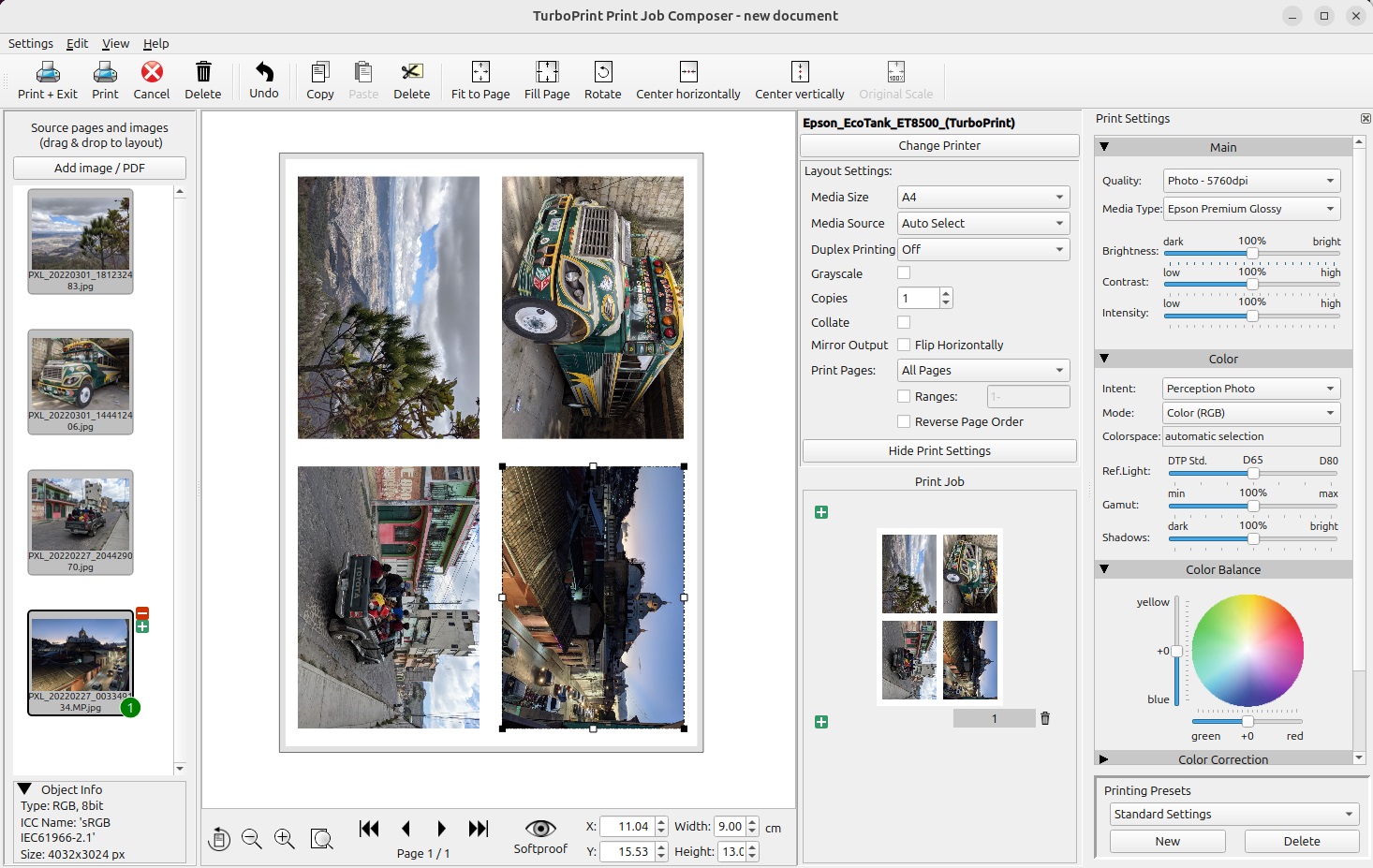
Complete color management from source to destination
When printing via the Composer, the color data from the source to the printer is handled continuously by TurboPrint, thus preventing incorrect conversions of the color space from the application program to the printer driver and ensuring that no color information is lost.
Load and arrange graphics
Simply drag images or documents (JPG, TIFF, PNG, PDF, PS) from the desktop or the Linux file manager into the Composer window. Alternatively, you can use the file selection dialog.
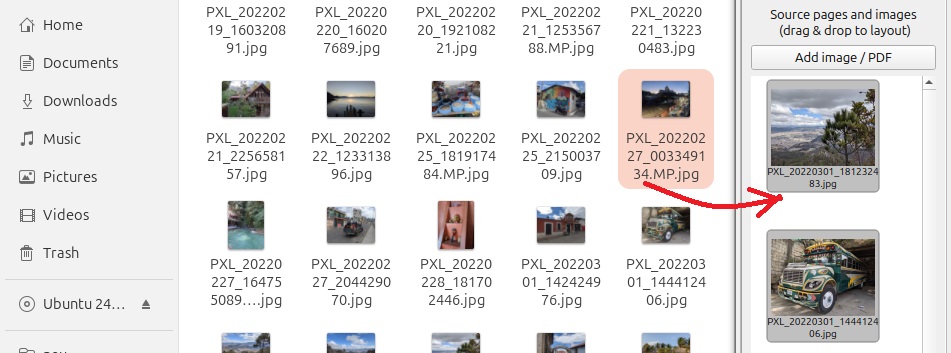
Your objects can be added to the document individually or multiple times - in the size you require, optionally rotated or cropped.
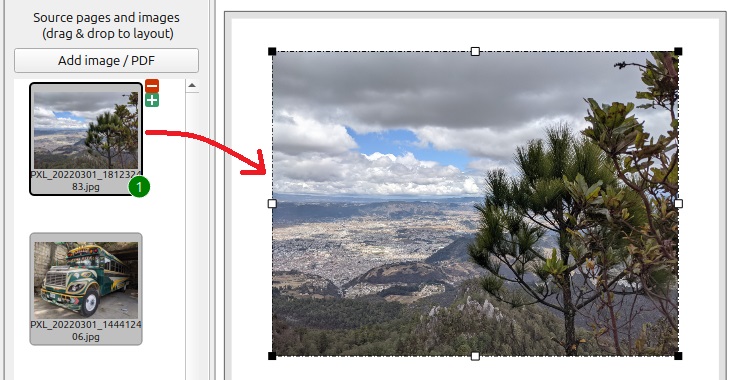
You can define the print position and format conveniently with the mouse or precisely by entering coordinates.

The new layout wizard
Load several photo files and distribute them on the paper using the layout wizard.
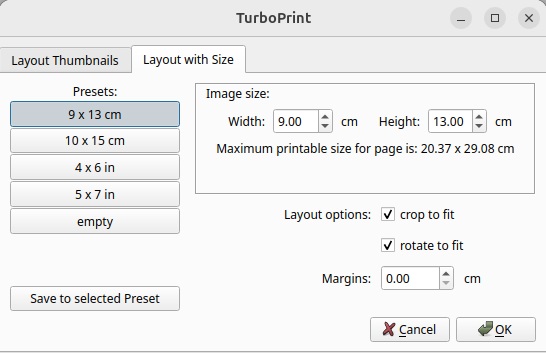
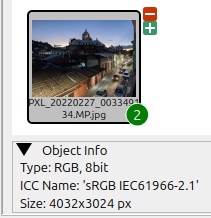
Information such as format and color space is displayed for all imported graphics. The number of prints for the layout wizard can also be defined here:
Hotfolder
You can print directly from application programs like GIMP via the new hotfolder or as usual via TurboPrint as a printer driver.
Simple and clear print settings
All print settings are available in the right-hand menu column. The effects of changes to the print options (e.g. changing the color temperature) can be checked directly on the screen using the soft proof function.
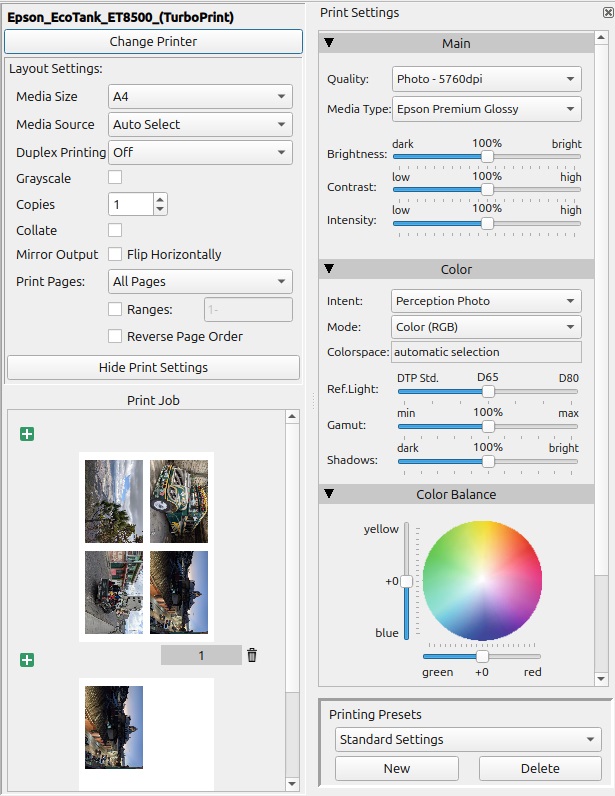
The functions for screen printers are now fully integrated (version TurboPrint Studio XL required)
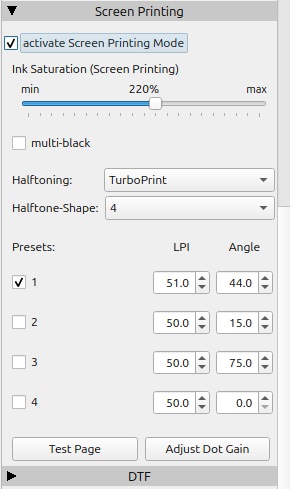
Create proof prints with high color accuracy (TurboPrint Studio only)
Open a CMYK PDF document or load CMYK data with TIFF files.

System requirements
Linux with x86_64 processor.
The Composer loads the following file formats:
Photos / Bitmap in JPG or PNG format, PDF documents
TurboPrint Studio also supports TIFF and document types PS, EPS